



.jpeg "Spacebar Clicker")





.jpeg "Block Blast")













.jpeg "Kick the Buddy")









.jpeg "Bubble Shooter")
Grow a Garden
With easy mechanics and browser-based gameplay, Grow A Garden is suitable for players of all ages and perfect for casual gaming sessions.
How to Play Grow A Garden Like a Farmer
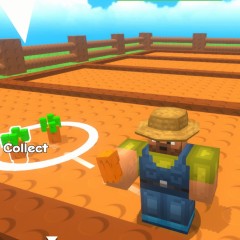
Your mission is simple yet engaging: buy seeds, grow crops, and sell agricultural products to earn money and expand your farming journey.
Buying Seeds
The seed shop is the first place you should visit. Inside the shop, you will find a wide variety of seeds, ranging from common to rare types. Naturally, rare seeds cost more money but also offer higher profits when sold.
If you are a beginner, you will only be able to afford common seeds at first. However, the seed shop refreshes its inventory after a short period, giving you the chance to purchase better seeds as you earn more cash.
Planting and Growing Crops
To grow crops, simply plant the seeds you purchased in the empty plots in your garden. After planting, you need to wait for your crops to grow and produce harvestable goods. The rarer the crop, the longer it takes to mature, so patience is essential when managing high-value plants.
Careful planning helps you balance fast-growing common crops with slower but more profitable rare ones.
Selling Agricultural Products
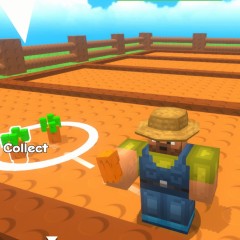
Once your crops are fully grown, it's time to harvest them and head to the shop.
Before selling, you can check the price offered and decide whether it is worth selling your products at that moment. Making informed selling decisions enables you to maximize your income and reinvest in higher-quality seeds.
Is Grow A Garden Worth Playing?
Absolutely. Grow A Garden is available unblocked at school on https://duckclicker.io and can be played directly in your browser.
You don't need to download or install anything; just connect your device to the Internet and enjoy the game online anytime. Its simple controls, relaxing pace, and rewarding progression make it a great choice for casual players.
Game Controls in Grow A Garden
- Move your character: Use the arrow keys.
- Interact, plant seeds, and harvest crops: Click the mouse or press the E key.